
Overview
World Athletics keeps an official list of the shoes allowed in competition, and it moves: models are added, some are approved only until a given date, and each one is cleared for particular events. The list lives on a certification portal built for reading, not for answering a question in fifteen seconds with an athlete waiting in the call room.
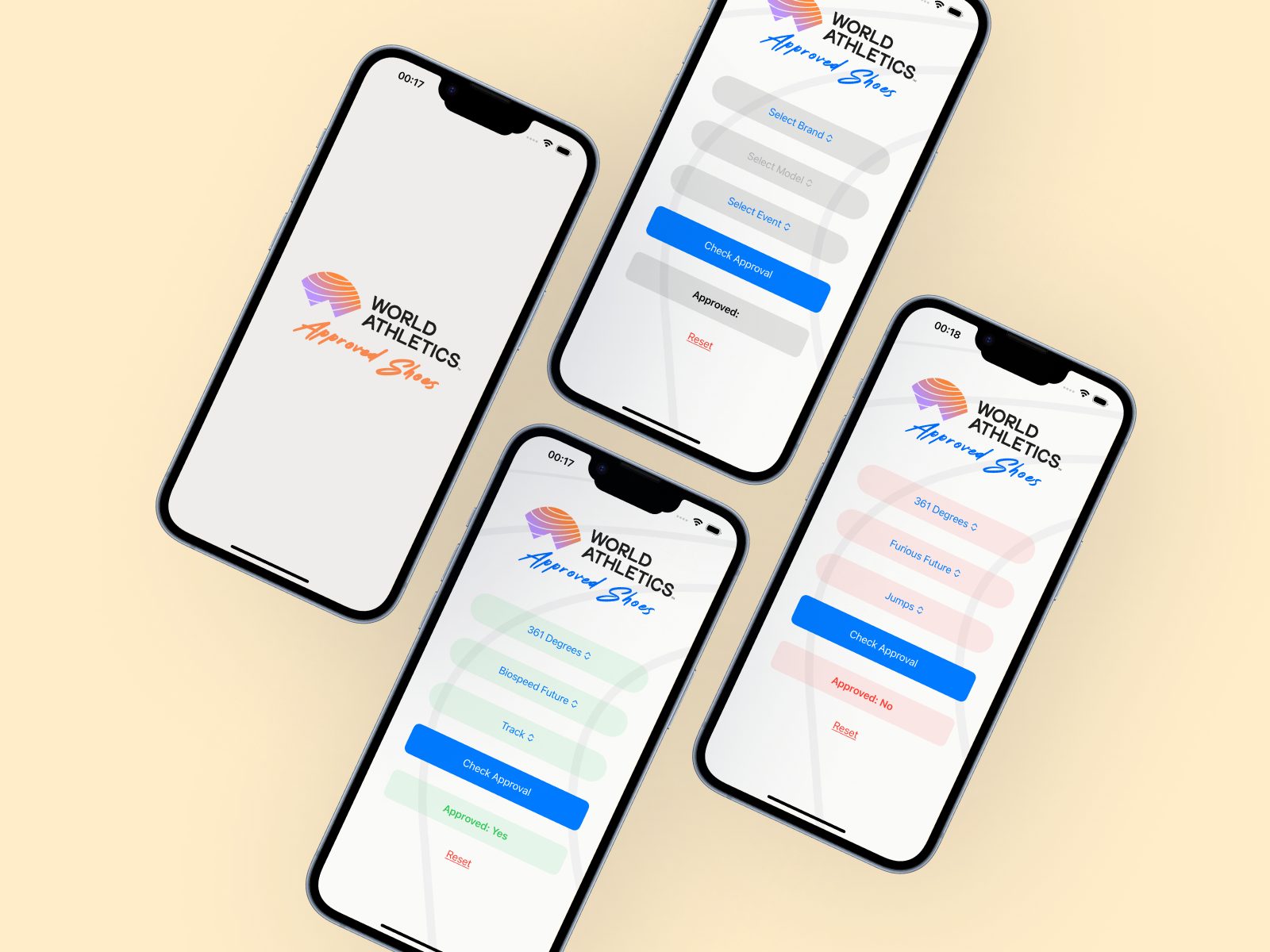
Approved Shoes turns that list into an answer. A scraper follows the official database and keeps a structured copy — 1,019 models at the last run, with brand, event eligibility, spike or non-spike, release date and every article number printed inside the shoe. The app searches it instantly, offline, on the phone an official already has at the track.
What I built
- A Python scraper over the World Athletics certification portal, incremental by design: re-running it updates the data and downloads only the images it is missing.
- A structured JSON dataset — one record per model, with event eligibility, shoe type, approval status, release date and alternative article numbers.
- Search across brand, model and the article numbers stamped on the shoe, because that code is often the only thing readable on a used spike.
- A SwiftUI app for iOS, with a field-ready interface: one question, one answer, no scrolling.
An unlisted shoe is not an approved shoe — but the list changes, so the dataset is only as good as its last run. Always confirm on certcheck.worldathletics.org before a competition that matters.
Check a shoe
Loading… · World Athletics list
The dataset the app ships with, running here. Search by brand, model or article number, or filter by event — the same question an official asks in the call room.
Loading the list…
Pick a shoe from the list.
Snapshot of the official World Athletics list. The rules change: check certcheck before a competition that matters.